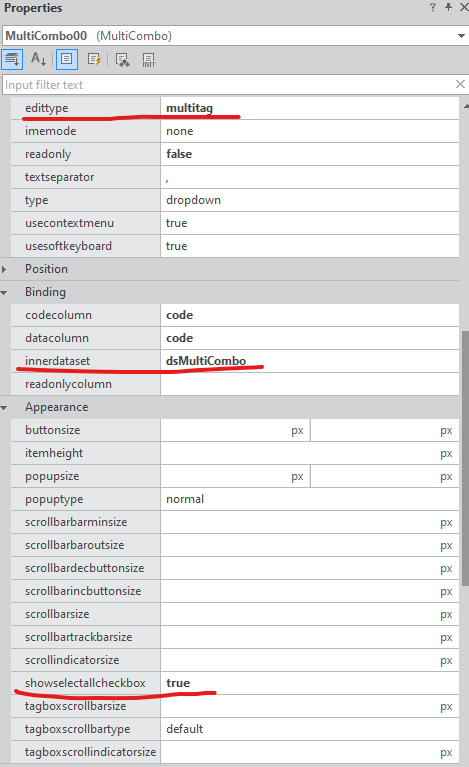
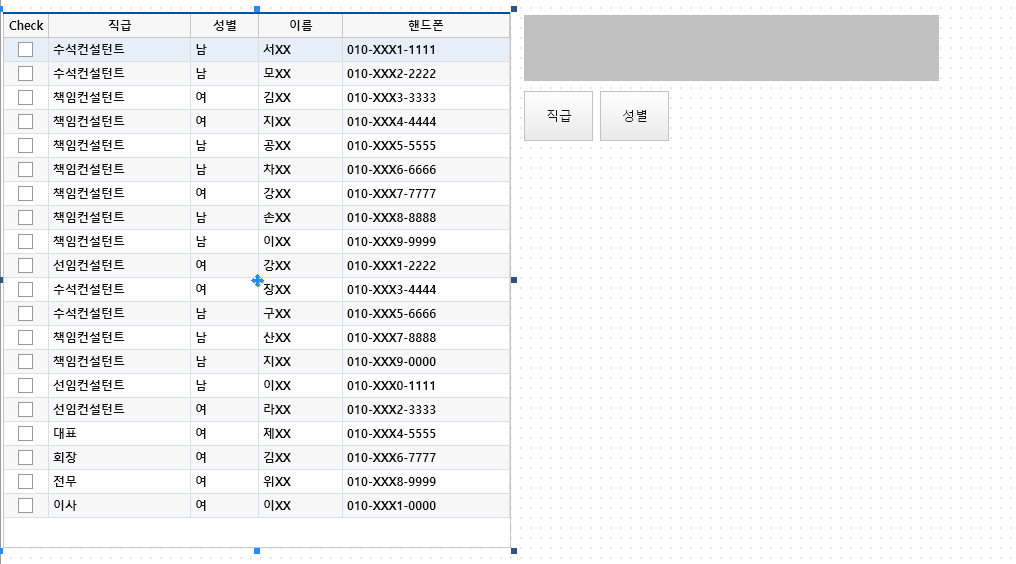
[nexacro]MultiCombo 참조문서: http://demo.nexacro.com/developer_guide/N/index.html?sa=sample_multicombo_02&ma=ec4c3b99c07c90ce http://demo.nexacro.com/developer_guide/N/index.html?ma=ec4c3b99c07c90ce&sa=sample_multicombo_02 demo.nexacro.com web/nexacro 2024.01.13
[nexacro]공지팝업 localStorage 이용하기 //Util.js // var parmObj = { // id:"DZZ_POP1_331", //POP_ID + SEQ // val:"331", //공자사항 SEQ // expireDate:{ // yy:2024, // mm:12, // dd:28, // hh:1, // mi:59, // ss:59 // } // }; pForm.gfnSetLocalStorage = function(parmObj) { let expireDate = parmObj.expireDate; let mm = parseInt(expireDate.mm - 1); let objDate = new Date(expireDate.yy, mm, expireDate.dd, expireDate.hh, expireDate.mi, expireDate... web/nexacro 2023.12.26
[nexacro]drag & drop this.fv_suppress = 0; this.work01_oninit = function(obj:nexacro.Form,e:nexacro.EventInfo) { }; //////////////////////////////////////////////// this.btnTemp_ondrag = function(obj:nexacro.Button,e:nexacro.DragEventInfo) { trace("[from] btnTemp_ondrag", "start"); return true; }; this.grdList_ondrag = function(obj:nexacro.Grid,e:nexacro.GridDragEventInfo) { trace("grdList_ondrag", "start"); ///////.. web/nexacro 2023.11.28
FileDialog >> get 파일 Blob >> set FormData >> send XMLHttpRequest FileDialog 에서 파일 Blob 가져다 사용하기 FileDialog.FileDialogEventInfo.virtualfiles var filelist = e.virtualfiles; var vBlob = filelist[0]._handle; // web/nexacro 2023.08.29
업로드하기 전에 미리보기 하는 방법 ( 참조 링크 ) https://www.playnexacro.com/#show:techtip:1547 play nexacro:플레이 넥사크로 Play Nexacro is a community site for nexacro platform. 넥사크로 플랫폼 사용자 커뮤니티 www.playnexacro.com web/nexacro 2023.06.28
index.html / quickview.html / launch.html / popup.html 1. index.html http://localhost:9080/nexa/index.html 2. quickview.html http://localhost:9080/nexa/quickview.html?screenid=Desktop_screen&formname=ztblm::DZZ_TABLE_MNG.xfdl 3. launch.html http://localhost:9080/nexa/launch.html?screenid=Desktop_screen 4. popup.html http://localhost:9080/nexa/popup.html?formname=Sample%3A%3ASample_PopupSub.xfdl&framename=modelessPopup&loadtime=1687843007821 ex)내부호출스.. web/nexacro 2023.06.27
setCellProperty css var sColNmOrg = "TITLE_CD"; var nCellIdx = this.grdList.getBindCellIndex("body",sColNmOrg); var css_org = ""; this.grdList.setCellProperty("body", nCellIdx, "cssclass", "expr:dataset.parent.fnGetColor(comp, rowidx, "+nCellIdx+", " +css_org+")"); this.fnGetColor = function(comp, rowidx, nCellIdx, css_org){ var dataset = comp.getBindDataset(); var css = "cell_Red"; var rtnStr = null; var sColVal =.. web/nexacro 2023.06.26
넥사크로 프로젝트 시작점 (참조사이트) https://www.playnexacro.com/#show:techtip:6218 play nexacro:플레이 넥사크로 Play Nexacro is a community site for nexacro platform. 넥사크로 플랫폼 사용자 커뮤니티 www.playnexacro.com web/nexacro 2023.06.08
CI(지속적통합)/CD ( 지속적배포)/devops https://www.playnexacro.com/learns/5931/따라-하기-spring-tool-suite-v3-9-14-windows-git---ci-cd-jenkins-1-환경-설정 https://www.playnexacro.com/learns/5983/따라-하기-spring-tool-suite-v3-9-14-windows-git---ci-cd-jenkins-2-빌드-및-배포 [따라 하기] Spring Tool Suite v3.9.14 & Windows Git - CI/CD Jenkins(2) 빌드 및 배포 넥사크로,nexacro,이 글을 읽으면Nexacro Deploy JAVA를 사용하여 넥사크로 스튜디오에서 생성한 결과물을 자바스크립트와 CSS 파일로 변환(Generate)하고 Maven .. web/nexacro 2023.04.12
에디터없이 html 미리보기 1.HtmlEmptyController.java 생성 2.htmEmpty.jsp 생성 3.넥사화면단에서 html Write 하기 HtmlEmptyController.java @Controller public class HtmlEmptyController{ @RequestMapping("/htmlEmpty.do") public String htmlEmpty(){ return "htmEmpty"; } } htmEmpty.jsp 넥사화면(.xfdl) //form_onload var root = nexacro.getEnvironment.services["svcUrl"].url; var url = root + "/htmlEmpty.do"; this.web00.set_url(url); //web00_onloadco.. web/nexacro 2023.04.10